
INVENTORY AND COUNTER SALES
The stockroom and the counter are one job. Parts Commander is planned around a single stock ledger that every sale, return, order, transfer and count writes to.
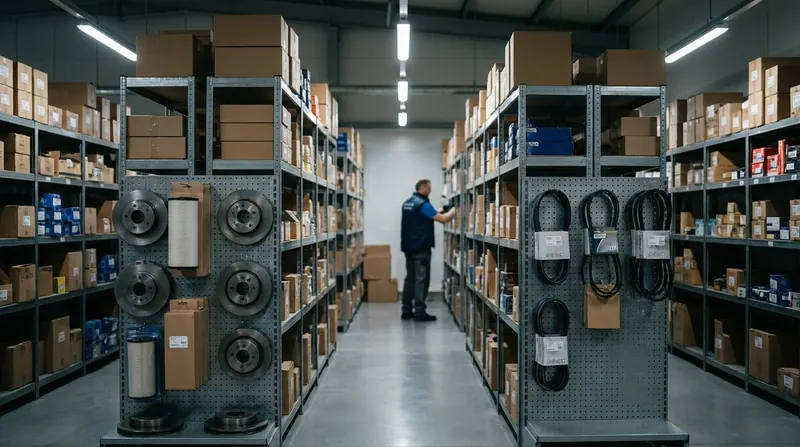
One ledger for every part
Every movement of a part is a line in the same ledger: received, sold, returned, transferred, counted, written off. On-hand quantity is the sum of those lines, so there is always an answer to "where did it go?"
- Inventory valuation. What the stock is worth, by location, line and supplier, at a consistent cost method.
- Landed cost. Freight, duty and brokerage added to what a part really cost you, not only the invoice price.
- Counts. Cycle counts by bin or line, with variances recorded as adjustments and not silent edits.
At the counter
- Fast lookup. By part number, alternate number, description, barcode or vehicle.
- Interchange and supersessions. Type an old or competing number and get the current part you stock. See OEM and aftermarket part numbers.
- Customer-specific pricing. Retail, trade and fleet levels, with exceptions by product line or by part for an individual account.
- Quotes that become sales. A quote holds its price and can reserve the stock until the customer decides.
- Returns. Against the original sale, with the reason recorded, and stock put back or set aside for the supplier.
Commercial accounts
Most of a parts store's volume is on account. The plan covers charge sales, credit limits that warn before they block, statements and aging, and payments applied to specific invoices. Each account carries its own price level, delivery details and purchase order rules. Our guide to managing commercial parts accounts goes through the working practices.
Special orders, backorders, cores and warranty
Four things general retail systems handle badly and a parts business deals with daily:
- Special orders. A part brought in for one customer stays attached to that customer, with a deposit if you take one, until it is collected or returned.
- Backorders. What the supplier could not ship stays visible against the customer who is waiting for it.
- Core charges. Charged on the sale, refunded when the old part comes back, then claimed from your supplier. See how core charges work.
- Warranty claims. A failed part goes back with the paperwork the supplier needs, and the credit is tracked until it arrives. See managing parts warranty returns.
Purchasing and suppliers
- Supplier price files. Import a supplier's price update and see what changed before it takes effect.
- Reorder points. Minimums and maximums by part and location, with suggested orders from sales history.
- Purchase orders. By supplier, with expected dates.
- Receiving. Against the order, by scanner or phone, with shortages and substitutions recorded as the truck is unloaded.
More than one location
Stock is kept by location. A counter person can see what the other store or the warehouse has, request a transfer, and promise the customer a time. Transfers are in transit until they are received, so a part is never in two places or none.
Where shop orders fit
An order from a repair shop is a counter sale that somebody else keyed in. With direct ordering, it arrives as a sale on that shop's account, at that shop's price, with the stock reserved.
Common questions
Can I import my existing inventory?
That is the plan. Import from spreadsheet and CSV files comes first, because every system can export one. Tell us what you run today when you request early access and we will know which importers to build next.
Will it handle more than one location?
Yes. Stock by location, transfers and shared purchasing are part of the plan. Our guide to multi-location inventory covers what that involves.
Is this a point-of-sale system?
It includes one, but a parts counter needs more than a till: vehicle lookup, interchange, account pricing, cores and special orders are all part of the same sale.